Home Free trading journal
Free trading journal
Most journals record what happened. The point of keeping one is to find out why — and then what that reason has cost you in money. TapeSheet is free, needs no account, and works from the MT4 or MT5 statement you already have.
A journal is for reviewing decisions, not recording outcomes
A spreadsheet of results tells you that March was bad. It does not tell you that March was bad because you moved your stop on eleven trades, and that those eleven trades cost you more than your best week made. That second sentence is the reason to journal, and it is the thing most free tools cannot produce.
The mechanism is unglamorous: tag what you were doing, tag what you did wrong, and let the arithmetic be brutal about the pattern.
What you tag, and what it gives back
- Setup tags — breakout, pullback, range fade, news, trend continuation, or your own. Answers “which of my setups actually pays?”
- Mistake tags — moved stop, oversized, FOMO entry, revenge trade, no plan, cut winner early. Answers the more useful question.
- Rating and notes — how well you executed, separate from whether it won. A good trade can lose.
- Planned risk → R-multiples — enter what you intended to risk and every result becomes comparable across position sizes and instruments.
- Daily notes with mood and discipline — the two things a statement can never record, and the two that explain most bad weeks.
The chart that changes behaviour
Performance by mistake tag, in money. Not a count, not a percentage — the actual figure each habit has cost you over the period. Myfxbook cannot produce this at any price, because it has no idea why you took the trade; it reports, it does not review.
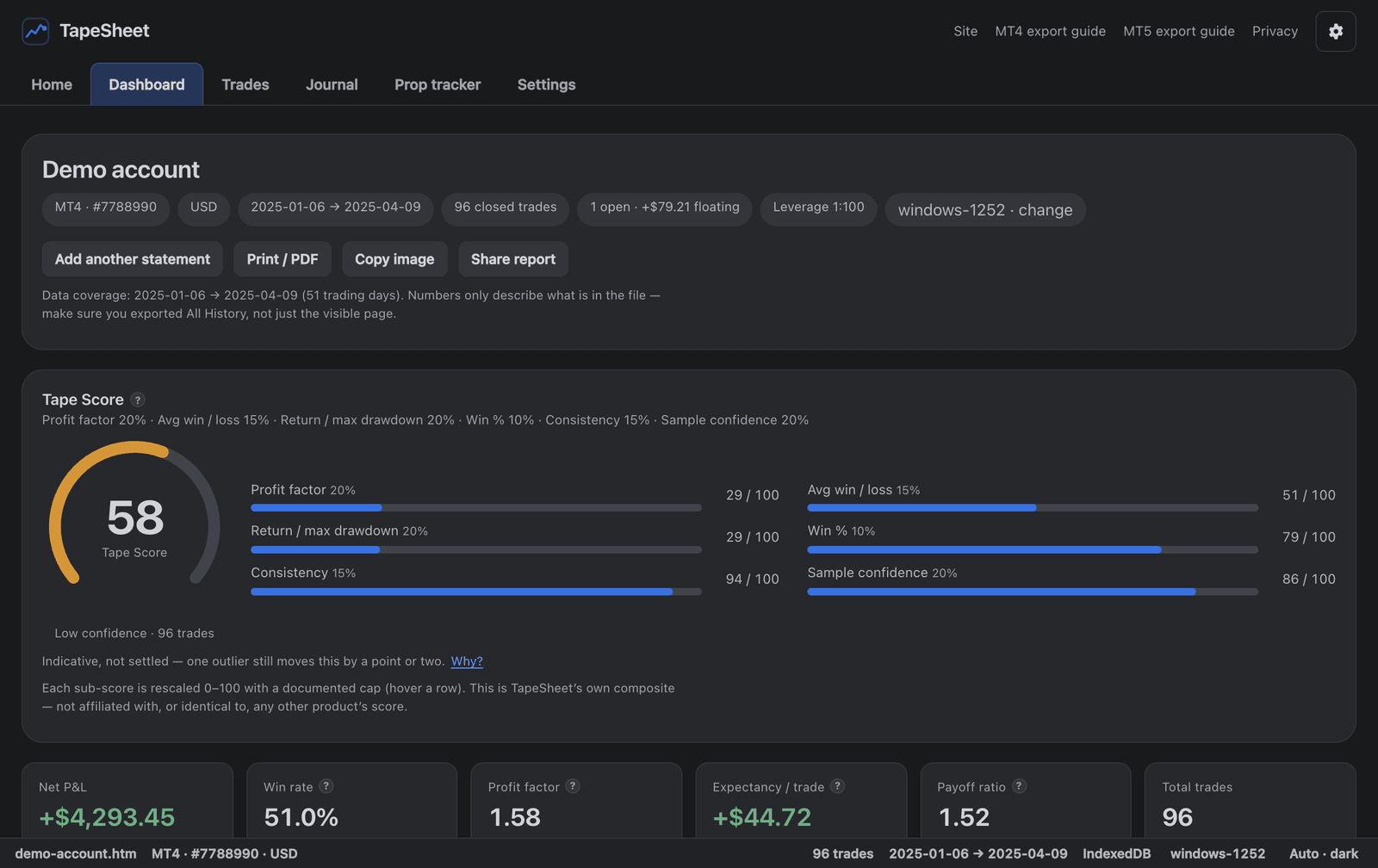
The real product on the bundled demo account. Open it yourself →
Free journals compared, including where they beat us
Public prices and published limits, as of August 2026. The last column exists because a comparison that only flatters the author is an advert, and this audience can smell one. We take no affiliate money from anyone on this list — see how this site makes money.
| Tool | Price | Signup | Free-tier limit | Your data | What they do better than us |
|---|---|---|---|---|---|
| TapeSheet | Free | None | No trade limit | Never leaves your device | — |
| Tradelytic | Free forever | Account required | No published limit | Processed server-side | AI analysis, an iOS app and nightly account sync, none of which we have. |
| TradesViz | Free tier; $19–29/mo paid | Account required | 3,000 executions/month on free | Processed server-side | A far deeper prop-compliance engine — many firms, several drawdown models, retroactive simulation. |
| Myfxbook | Free | Account required | No trade limit | Live account tracking, server-side | Enormous reach, a community, calculators and public verified track records. |
| Tradervue | Free tier; $29.95+/mo paid | Account required | 30 trades/month, stocks only on free | Processed server-side | Dozens of broker integrations and the longest track record in the category. |
| TradeZella | $35–99/mo, no free trial | Account + card | By plan | Processed server-side | Tick-level trade replay, backtesting, a 29-widget dashboard and prop-firm sync. |
The pattern is the point: several of these are free, and every one of them asks for an account and processes your trading history on their servers. Our difference is not price. It is that there is nothing to sign up for and nothing to hand over.
The tradeoff, before you rely on it
We would rather say that here than have you discover it in month eight. The app asks the browser to mark its storage persistent on your first entry and reports what the browser actually answered rather than implying a guarantee. Safari and iOS get an extra warning, because WebKit clears unused site data after about a week.
Getting started takes about a minute
- Export your history. MT4 orMT5 — right-click the history, choose All History, save the report.
- Drop it on the analyzer. Metrics, equity curve and breakdowns appear in about a second. Nothing uploads.
- Open a trade and write the entry. Rating, setup, mistakes, planned risk, notes. Thirty seconds a trade, and only for the ones worth reviewing.
- Read the payoff tables next month. Performance by setup, and what each mistake cost. Export a backup while you are there.
Questions
What does “free” actually mean here?
Every feature is free with no account, no trial clock, no trade limit and nothing held back for a paid tier. The analyzer has no ads either. Content pages like this one will carry ads eventually — that is the whole business model, and it is written up on the ethics page.
How can there be no signup?
Because there is no server holding anything. Your statement is parsed in the browser and your journal is stored in your own browser’s IndexedDB. With no data on our side there is nothing an account would be protecting, so we do not ask for one.
What happens to my journal if I clear my browser?
It is gone, and nobody can restore it — including us, because we never had a copy. That is the honest cost of no-signup. Settings → Export writes the whole journal to one JSON file; the app asks the browser to mark its storage persistent, tells you what the browser answered, and reminds you to back up.
Does it work with my broker?
If your broker gives you MT4 or MT5, almost certainly. Broker-customised templates, translated headers, comma decimals and non-UTF-8 encodings are all handled, and every instrument the broker lists works — metals, indices and crypto CFDs included. If a file fails, the analyzer says which step broke and offers to send it to us so that broker parses next time.
Also worth reading
- MT4 statement analyzer — what the analysis side reads and computes.
- MT5 report analyzer — deals, positions, hedging and netting.
- Which numbers are approximations — stated plainly, including which way they are wrong.
No account. No trade limit. No cost.
Find out what your worst habit has actually cost you.
Open the journal